








Take Better Photos Than You Ever Thought Possible With the iPhone You Already Own

A beginner‑friendly, four‑hour deep dive into the iPhone’s most essential camera controls

Take full control of your iPhone

Most people feel a quiet frustration with their iPhone photography. They know the camera is capable of extraordinary images — yet their photos often look flat, blurry, dark, or just… ordinary. The truth is simple: it’s not your eye, and it’s not your creativity. You just haven’t been shown the essential settings and habits that make the biggest difference.

This workshop changes that.

Join me for a clear, inspiring, and practical introduction to the 12–15 core features that instantly elevate your photography and video. No jargon. No overwhelm. Just the confidence and clarity you need to finally take control of the world’s most popular camera.

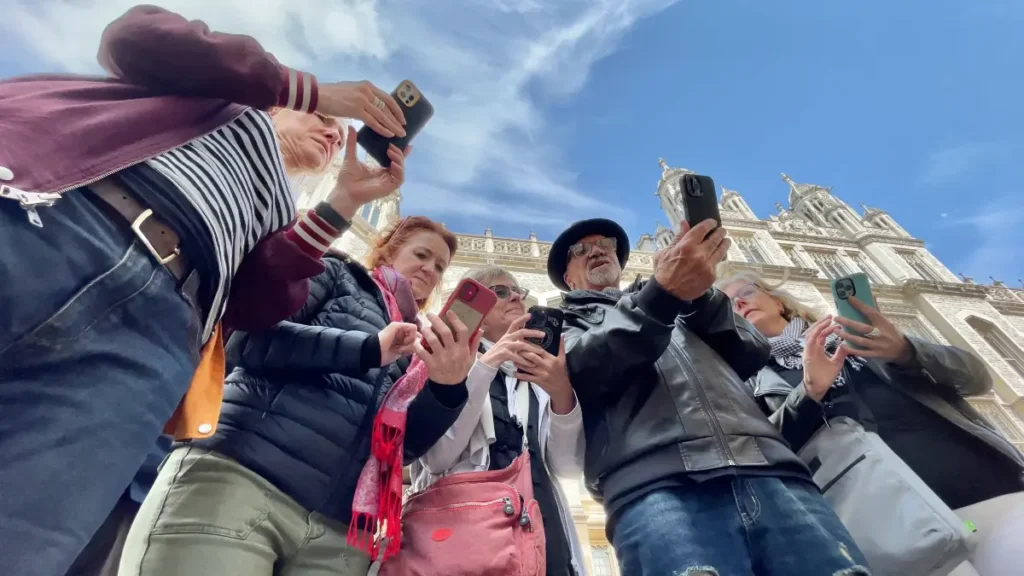
Whether you’re photographing family, travel, food, landscapes, or everyday life on the Cape, you’ll walk away with a faster workflow, a sharper eye, and a deeper understanding of how to make your iPhone work for you — not against you.

iPhone photography workshops by Jack Hollingsworth

What You’ll Learn

In this classroom‑style session, Jack will guide you through the exact settings, controls, and workflows he uses daily on the iPhone 15 Pro Max, 16 Pro Max, and 17 Pro Max. You’ll learn:

Hardware Buttons

Master the iPhone’s physical buttons to shoot faster, smarter, and with more control.

Turn your iPhone’s hardware buttons into powerful photography shortcuts. Learn how each one can speed up your workflow, improve stability, and help you capture moments without missing the shot.

Smart Setup

Set up your iPhone for faster access, fewer distractions, and more intentional photography.

Optimize your Lock Screen, Home Screen, and Control Center so your camera is always ready. Fewer taps means faster reactions, smoother shooting, and better photos every day.

Instant Camera

Open your camera instantly before the moment disappears.

Discover every fast-access shortcut built into the iPhone — from swipe gestures to the Action Button — so you can launch the Camera app in seconds and never miss the perfect shot.

Better Shutter

Shoot with more precision, stability, and confidence in any situation.

Learn the smartest ways to trigger the shutter using volume buttons, timers, headphones, and Bluetooth remotes to capture sharper, more natural-looking photos effortlessly.

Camera Essentials

Know exactly which camera settings matter — and which ones don’t.

Understand the essential settings inside the Camera app so you can stop guessing and start shooting with confidence. Cleaner workflow, better control, stronger results.

Shoot Checklist

The simple pre-shoot routine every iPhone photographer should follow.

From battery and storage to clean lenses and iCloud backup, learn the six quick checks that make sure your iPhone is always ready when it’s time to shoot.

Screen Settings

Small display adjustments that make a big difference in your photography.

Learn how brightness, True Tone, and Auto-Lock affect the way you shoot, frame, and review your images — and how to optimize them for more accurate results.

Formats Explained

Understand resolution, orientation, and file formats without the technical confusion.

Learn when to shoot in 12, 24, or 48 MP, when to choose vertical or horizontal framing, and which file formats give you the best balance of quality and flexibility.

Resolution Power

Advanced iPhone tools — explained simply and used intentionally.

Discover when features like ProRAW, ProRes, Apple Log, and Variable ND actually improve your work, and when they only add unnecessary complexity to your workflow.

Bonus: Jack’s real‑world shooting habits

Why he uses the 1× lens most • How he approaches zoom • The basic gear he carries

You’ll leave with a clearer understanding of your camera, a faster workflow, and the confidence to start making the best photos and videos of your life.

Ready to take photos than you ever thought possible?

Join Jack Hollingsworth for an afternoon in The Commons that will change your relationship with your iPhone forever.

$169.00 - $199.00

Secure your spot through our partner, Cape Cod Art Center

Essential settings, smart shortcuts, and simple workflows to instantly transform the way you shoot with your iPhone.

Industry Recognition

Jack Hollingsworth is a world-renowned commercial photographer and a leading voice in the mobile photography revolution. With over 40 years of professional experience, Jack has transitioned seamlessly into the mobile era.

Frequently Asked Questions

A few common questions to help you feel prepared and at ease.

About the Experience

Beginner to intermediate learners who want a clear, confidence-building introduction to iPhone photography.

No. If you can open your Camera app, you’re ready.

You’ll learn how to use your iPhone camera more intentionally—covering settings, composition, lighting, and simple techniques to improve both photos and videos.

See ESSENTIALS section

Yes. We’ll focus on essential settings, features, and habits that improve both stills and motion.

Teaching Style & Format

A mix of PowerPoint, live screencasts, and hands-on demos so you can see exactly how each feature works.

This session is classroom-only. All demos will be done through screencasts, examples, and guided practice.

Yes. There will be dedicated Q&A time at the end, plus opportunities to ask questions during the session.

Absolutely.

Devices & Requirements

The workshop features the Phone 15 Pro Max, 16 Pro Max, and 17 Pro Max, but almost everything taught applies to recent Pro and non-Pro models as well.

Update your iOS software to the latest version. This ensures your menus, buttons, and features match what we’ll be teaching.

No. Bring your iPhone, a charged battery, and enough storage space for new photos and videos.

You can still attend. Most concepts apply across models, though some advanced features may vary slightly.

Location & Logistics

The Commons 46 Bradford Street Provincetown, MA 02657

Approximately 4 hours.

Public, paid parking available nearby. Coordinated recommendations will be provided.

Payment & Registration

Registration is handled directly through Cape Cod Art Center.

All payments are processed by Cape Cod Art Center through their website.

No. This page is informational only. To reserve your spot, please use the Cape Cod Art Center registration link above.

All refund and cancellation policies are managed by Cape Cod Art Center. Please refer to their website or contact their team directly for details.

Please contact Cape Cod Art Center customer support for any payment or registration questions.

Still have questions?

If you’re feeling curious but not quite ready to decide, that’s completely okay.

If you’d like more clarity, need help deciding if this experience is right for you, or simply want to talk things through, feel free to reach out. I’m happy to help.