
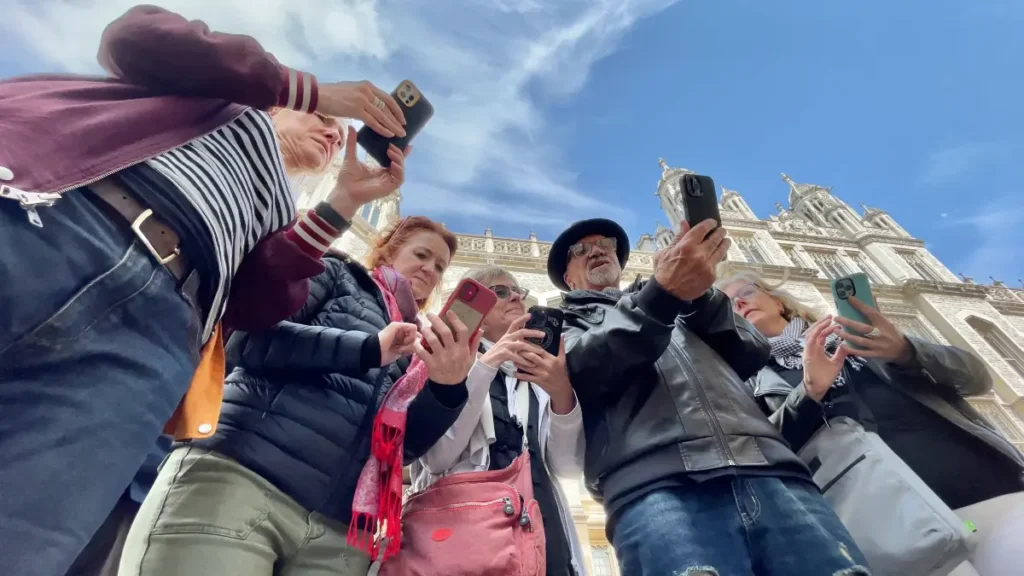
iPhone Photography Essentials

A Million Frames later

How to take the best photos and video of your life, with the world's most popular camera

The 4-Hour Immersive Experience

Your iPhone is a powerful camera — but only if you know how to control it. This four‑hour workshop teaches the 12 Essentials every iPhone photographer should master. These are the settings, controls, and habits that make the biggest difference in real‑world shooting.

We’ll keep it simple, practical, and hands‑on. You’ll learn how to set up your phone, use the hardware buttons, control focus and exposure, choose the right lens, manage zoom, and understand the key tools inside the Camera app. By the end, you’ll be shooting with more intention, more confidence, and far better results.

This workshop is for anyone who wants cleaner, sharper, more compelling images — without switching to a bigger camera.

iPhone photography workshops by Jack Hollingsworth

2 Hours: Classroom Theory

The technical foundations, hidden menus, and the psychology of the frame.

2 Hours: Q/A Screencasts

Putting the "12 Essentials" into practice through demos, Q/A, and Screencasts

The 12 Essentials

Your iPhone, Upgraded

Turn your iPhone into a fast, pro-level camera tool.

Button Mastery

Shoot instantly with pro shortcuts using hardware buttons.

Perfect Settings Setup

Unlock maximum quality with the right system setup.

Resolution Power

Capture sharper, high-detail photos every time.

Pro File Formats

Get better quality and flexibility in every shot.

Pro Photo Controls

Take total control over how your photos look.

Pro Video Controls

Create cinematic videos with full manual control.

Precision Focus

Lock sharp focus exactly where it matters most.

Perfect Exposure

Nail brightness and lighting in every shot.

Lens Mastery

Choose the perfect lens for stunning compositions.

Smart Zoom Skills

Zoom without losing quality or detail.

Creative Modes

Shoot like a pro in any situation or style.

Ready to transform your vision?

Join Jack Hollingsworth for an afternoon that will change your relationship with your camera forever.

$169.00

Secure your spot through our partner, Precision Camera.

Capturing professional-grade imagery with the device in your pocket.

Industry Recognition

Jack Hollingsworth is a world-renowned commercial photographer and a leading voice in the mobile photography revolution. With over 40 years of professional experience, Jack has transitioned seamlessly into the mobile era.

Frequently Asked Questions

A few common questions to help you feel prepared and at ease.

About the Experience

Beginner to intermediate learners who want a clear, confidence-building introduction to iPhone photography.

No. If you can open your Camera app, you’re ready.

You’ll learn how to use your iPhone camera more intentionally—covering settings, composition, lighting, and simple techniques to improve both photos and videos.

See ESSENTIALS section

Yes. We’ll focus on essential settings, features, and habits that improve both stills and motion.

Teaching Style & Format

A mix of PowerPoint, live screencasts, and hands-on demos so you can see exactly how each feature works.

This session is classroom-only. All demos will be done through screencasts, examples, and guided practice.

Yes. There will be dedicated Q&A time at the end, plus opportunities to ask questions during the session.

Absolutely.

Devices & Requirements

The workshop features the iPhone 17 Pro Max, but almost everything taught applies to recent Pro and non-Pro models as well.

Update your iOS software to the latest version. This ensures your menus, buttons, and features match what we’ll be teaching.

No. Bring your iPhone, a charged battery, and enough storage space for new photos and videos.

You can still attend. Most concepts apply across models, though some advanced features may vary slightly.

Location & Logistics

Precision Camera & Video
Anderson Lane, Austin, Texas

Approximately 4 hours.

Parking is available at Precision Camera & Video. (Check their site for details if needed.)

https://www.precision-camera.com/

Payment & Registration

Registration is handled directly through Precision Camera.

All payments are processed by Precision Camera through their website.

No. This page is informational only. To reserve your spot, please use the Precision Camera registration link above.

All refund and cancellation policies are managed by Precision Camera. Please refer to their website or contact their team directly for details.

Please contact Precision Camera customer support for any payment or registration questions.

Still have questions?

If you’re feeling curious but not quite ready to decide, that’s completely okay.

If you’d like more clarity, need help deciding if this experience is right for you, or simply want to talk things through, feel free to reach out. I’m happy to help.